


How to get to the Workflow Builder page

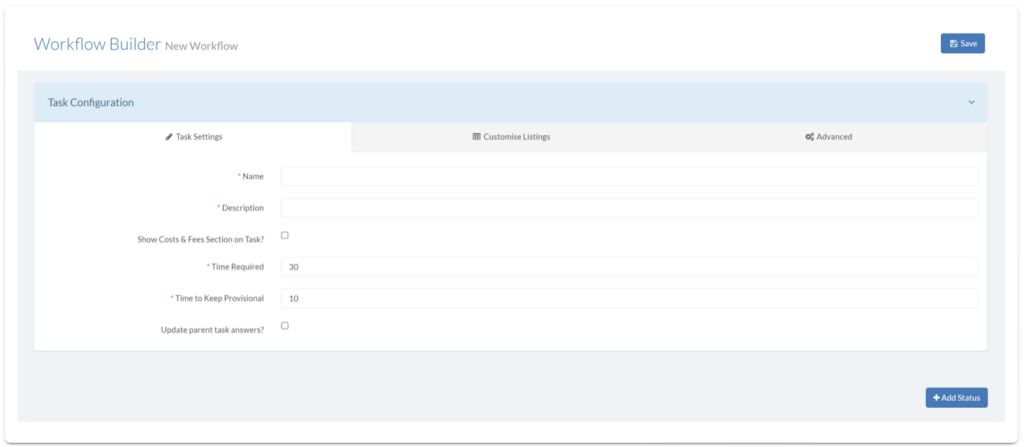
The workflow builder is a powerful, easy-to-use, drag and drop interface that allows you to create, update and modify workflows- without any need for code or coding knowledge! Discover how to find the Workflow Builder by following the steps below.

  1. Click Admin.
  2. Click the View button on the Workflows panel.
  3. Click Create Workflow.
  4. This will take you to the Workflow Builder.

Similar Posts

  • How to create a Document Template

    Document Templates can be configured in your workflows on your SwiftCase system. Discover how to create document templates by reading on. Creating a Document Template Note: Tags are used to generate and display information from the Task, allowing each document to be specific to that Task. With SwiftCase you can automate the information gathering process by adding information…

  • Customer Enquiry Workflow

    The Customer Enquiry workflow logs and tracks any customer questions to ensure prompt responses from you and your Team Members. Using the Customer Enquiry Workflow Note: The first three steps need to be carried out by the Customer submitting the enquiry. Click format_list_numbered Tasks to navigate to the Dashboard, then click add Create New Task. Choose a Client and Client Staff, and click Create Task. Choose…

  • Expense Claim Workflow

    The Expense Claim Workflow allows your Clients and you and your Team Members to quickly and easily claim back any company expenses. Using the Expense Claim Workflow Click format_list_numbered Tasks to navigate to the Dashboard, then click add Create New Task. Choose a Client and Client Staff, who need to claim expenses back, and click Create Task. Choose the Expense Claim Workflow and click Add Task. Fill out the…